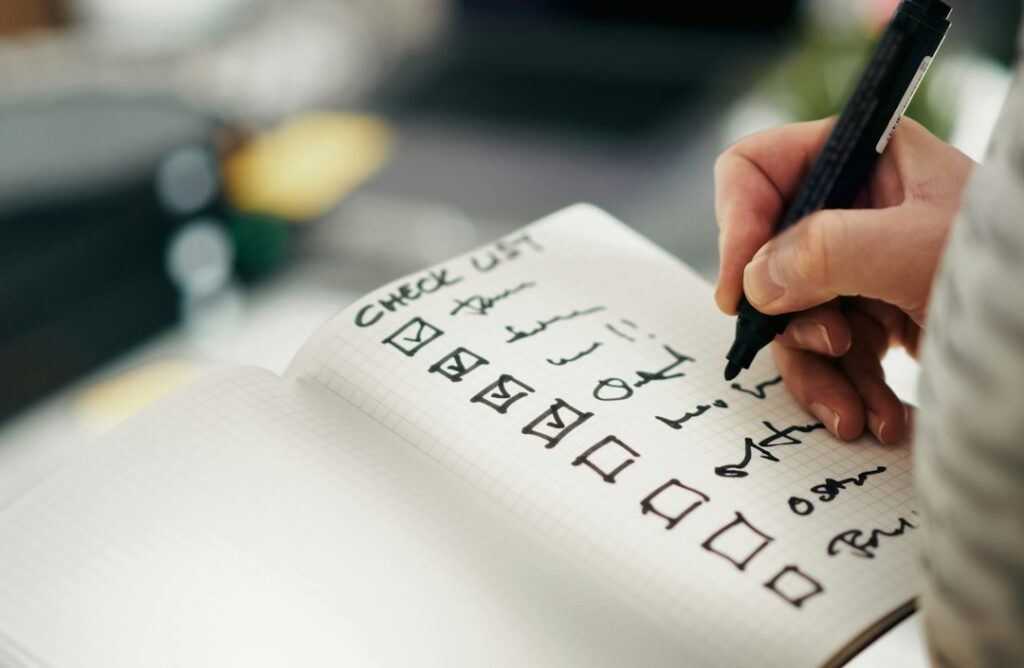
An on-page SEO checklist is the set of fixes you apply to every page before and after publishing: match the search intent, write a unique title and meta description, use one clear H1 and question-led subheadings, answer the main question early, link to and from related pages, describe your images, and confirm the page is indexed. The 20 checks below work for blog posts, service pages and product categories alike.
At Softwix we run this checklist on every page we write or optimise for clients, from service pages to blog posts and product categories. It complements our technical SEO checklist, which deals with site-wide issues like crawling, speed and canonicalisation, while this one focuses on what you control inside each page. If you want the whole process handled for you, our SEO services include on-page optimisation as standard.
On-page SEO checklist at a glance
| # | Check | Stage |
|---|---|---|
| 1 | One primary topic and keyword per page | Planning |
| 2 | Match the search intent and format | Planning |
| 3 | Cover the follow-up questions | Planning |
| 4 | Unique, descriptive title tag | Metadata |
| 5 | Unique meta description | Metadata |
| 6 | Short, readable URL slug | Metadata |
| 7 | One clear H1 | Structure |
| 8 | Answer-first introduction | Structure |
| 9 | Question-led subheadings | Structure |
| 10 | Short paragraphs, lists and tables | Structure |
| 11 | First-hand experience and specifics | Content |
| 12 | Author byline and updated date | Content |
| 13 | Natural keyword use, no stuffing | Content |
| 14 | Descriptive internal links out | Links |
| 15 | Internal links in from related pages | Links |
| 16 | External links to credible sources | Links |
| 17 | Image alt text and file names | Media |
| 18 | Compressed, correctly sized images | Media |
| 19 | Relevant structured data | Technical |
| 20 | Indexing check and scheduled review | After publishing |
What is on-page SEO?
On-page SEO is everything you do on an individual page to help search engines understand it and help visitors find what they came for. It covers content, headings, metadata, links, images and page-level markup.
It sits between two other areas. Technical SEO handles the site as a whole, such as crawling, speed and indexing rules. Off-page SEO covers signals from elsewhere, mainly links and mentions. On-page work is where most businesses can make the fastest progress, because every change is in their own hands.
How do you plan a page before writing? (Checks 1–3)
Decide what single question the page answers, who is asking it and what format they expect. Most on-page problems start with a page that tries to do too much.
1. Choose one primary topic and keyword
Give each page one main topic and a primary keyword phrase, plus a few close variations. If two pages on your site target the same phrase, merge them or make their focus clearly different, otherwise they compete with each other.
2. Match the search intent and format
Search your keyword and look at the first page of results. If they are all step-by-step guides, a sales page will struggle to rank. If they are product categories, a 2,000-word article is the wrong format. Note whether people want a definition, a list, a comparison, a price or a place to buy.
3. Cover the follow-up questions
List the questions a reader would ask next and answer them on the page. This also helps with AI search: Google’s generative AI guidance describes “query fan-out”, where the system runs several related searches to build an answer. We cover this in more detail in our guide to getting cited in AI Overviews and ChatGPT. Use “People also ask” boxes, your sales team’s FAQs and customer emails as sources.
How should you write title tags and meta descriptions? (Checks 4–6)
Write a unique, specific title and description for every page, written for people first. Google may rewrite either one, but a good version is used far more often than a weak one.
4. Write a unique, descriptive title tag
Google’s title link documentation asks for descriptive, concise titles, warns against keyword stuffing and boilerplate, and suggests adding your brand name at the start or end with a separator. It also notes there is no limit on title length, but long titles are truncated to fit the screen.
In practice:
- Put the main topic near the start.
- Keep the key message within roughly the first 55 to 60 characters so it survives truncation.
- Add a specific benefit or detail: a year, a number, a location.
- Keep your title and H1 consistent. Google says it uses the main visible title and headings when generating title links.
| Weak title | Better title |
|---|---|
| Services | Brand | WordPress Maintenance Plans for Small Businesses | Brand |
| Blog post 14 | How to Reduce Fake COD Orders in WooCommerce (2026) |
| Shoes, cheap shoes, buy shoes online | Men’s Leather Shoes: Free Delivery in Dhaka | Brand |
5. Write a unique meta description
Google mostly builds snippets from page content, but its snippet guidelines say it will use the meta description when it describes the page better. Google recommends unique descriptions for each page, warns that lists of keywords are less likely to be shown, and says there is no length limit, though snippets are truncated.
Aim for a one or two sentence summary that says what the page covers and why it is worth clicking. Around 140 to 160 characters keeps most of it visible on desktop.
6. Use a short, readable URL slug
Use a few descriptive words separated by hyphens, such as /on-page-seo-checklist/. Google’s SEO Starter Guide says URLs with useful words help users, while keywords in the URL alone have “hardly any effect” on ranking beyond breadcrumbs. Avoid dates in evergreen slugs and never change a live URL without a 301 redirect.
How should you structure the page? (Checks 7–10)
Use one clear main heading, answer the question in the first paragraph and break the rest into sections that each answer one sub-question.
7. Use one clear H1
Most WordPress themes output the post title as the H1 automatically, so do not add a second one in the content. Make it the most prominent text on the page.
8. Answer the question first
State the answer in the first two or three sentences, then explain. Readers who only want the answer get it quickly, and those who want detail keep reading. Search engines and AI systems can also find and quote the answer more easily.
9. Phrase subheadings as real questions
Turn H2s into the questions people search for, such as “How much does it cost?” or “Which is better for small shops?”. Open each section with a direct one or two sentence answer. Google says heading order does not matter for ranking, so use H2s and H3s for clarity, not for a rulebook.
10. Keep paragraphs short and use lists and tables
Keep paragraphs to about three sentences. Use numbered lists for steps, bullet lists for options and tables for comparisons, prices or specifications. Check the page on a phone before you publish.
What makes the content itself rank? (Checks 11–13)
Content ranks when it is more useful, specific and trustworthy than the alternatives. Formatting helps, but it cannot rescue a page that says nothing new.
11. Add first-hand experience and specifics
Google’s guidance on creating helpful, reliable, people-first content asks whether content provides original information, insight or analysis beyond the obvious. Add real examples, your own process, screenshots, local prices and clear recommendations. Only publish numbers you can verify.
12. Show who wrote it and when it was updated
The same Google guidance encourages accurate bylines where readers expect them, and warns against fabricated author profiles. Add the author’s name with a short bio, plus a visible “last updated” date when you make meaningful changes. Do not change the date without changing the content.
13. Use keywords naturally
Include the primary keyword in the title, H1, opening paragraph and at least one subheading where it reads naturally. Then write normally, using synonyms and related terms. Google states that keyword stuffing breaches its spam policies and that it does not use the meta keywords tag at all.
If writing to this standard every week is a challenge, our SEO content writing service produces articles built around your expertise and this checklist.
How should you handle links on the page? (Checks 14–16)
Link out to your own related pages and to credible sources using descriptive anchor text, and make sure other pages on your site link back to the new one.
14. Add descriptive internal links
Google’s link best practices describe good anchor text as “descriptive, reasonably concise, and relevant”, and list “click here” and “read more” as poor examples. They also advise against chaining several links next to each other. Three to six well-placed internal links are enough for most articles.
15. Get internal links pointing in
A new page with no links pointing to it is hard for both visitors and search engines to find. After publishing, add links from two or three older, related pages, and from a relevant service or category page where it makes sense.
16. Link to credible external sources
Link to official documentation, original research or recognised authorities when you cite a fact. Name the source and year in the sentence so readers can judge it. Open external links in a new tab if you prefer, but keep their number reasonable.
How do you optimise images? (Checks 17–18)
Give every meaningful image a descriptive alt attribute and file name, and serve it at the right size and file weight.
17. Write useful alt text and file names
Google’s image SEO best practices call alt text “the most important attribute” for image metadata and show “Dalmatian puppy playing fetch” as a better example than “puppy”. They also recommend short, descriptive file names such as my-new-black-kitten.jpg instead of IMG00023.JPG. Describe what is in the image; do not stuff keywords.
18. Compress and size images correctly
Upload images close to the width they display at, compress them and use modern formats such as WebP or AVIF where your setup supports them. Set width and height so the layout does not jump while loading, and lazy-load images below the fold. These steps matter for Core Web Vitals, which our technical checklist covers in more depth.
What should you check before and after publishing? (Checks 19–20)
Add relevant structured data, then confirm the page is indexed and schedule a review.
19. Add relevant structured data
Use schema types that match the page: Article for posts, Product for product pages, LocalBusiness for location pages, BreadcrumbList for navigation. SEO plugins such as Rank Math or Yoast handle most of this. Only mark up content that is visible on the page. For online shops, our WooCommerce SEO guide explains product schema in detail.
20. Check indexing and schedule a review
After publishing, inspect the URL in Google Search Console and request indexing if it has not been picked up. After about three months, review its impressions, clicks and average position. Improve pages that get impressions but few clicks by sharpening the title, description and opening answer.
Which on-page SEO “rules” can you ignore?
Several popular rules make no difference to Google. Google’s SEO Starter Guide lists them directly.
- Meta keywords: Google does not use them.
- Word count targets: Google says there is no minimum or maximum content length for ranking.
- Perfect heading order: good for screen readers, but out-of-order headings do not hurt ranking.
- Keyword density percentages: no target exists. Write naturally.
- Keywords in the domain: hardly any ranking effect.
That does not mean anything goes. These points free you to spend your time on intent, usefulness and clarity, which do matter.
Frequently asked questions
What is the most important on-page SEO factor?
Matching search intent with useful content matters most. A perfectly optimised title cannot make the wrong type of page rank. Get the intent and the content right first, then refine titles, headings and links.
How long should a title tag be?
Google has no fixed limit, but it truncates long titles to fit the screen. Keeping the key message within roughly 55 to 60 characters is a practical rule. Put the most important words first.
Does on-page SEO still matter with AI search?
Yes. Google says its AI features are built on its core ranking systems, so the same on-page basics apply. Clear answers, good structure and specific, first-hand content help pages get cited as well as ranked.
How many internal links should a blog post have?
There is no ideal number. Add links where they help the reader go deeper, usually three to six in a standard article. Use descriptive anchor text and avoid stacking several links side by side.
Should I optimise old pages or write new ones?
Start with existing pages that already get impressions in Search Console but have low clicks or sit on page two. Applying this checklist to them often brings results faster than publishing new content. Then fill real gaps with new pages.
Get your pages checked
If you want to know which of your pages fail these checks and what to fix first, request a free SEO audit from Softwix. It is the quickest way to see where your key pages stand on intent, titles, headings, links and images, and which fixes to make first.

Part of the Softwix team — helping businesses grow through SEO, marketing and better websites.