WooCommerce sales notification popups are small messages, such as “Ayesha in Chattogram bought a leather wallet 12 minutes ago”, that show visitors real recent orders from your store. They lift conversions by reducing doubt: shoppers see that other people buy from you and receive their orders. They work best when every notification is genuine, they appear sparingly, and they never cover the content.
Softwix builds WooCommerce stores and develops its own WooCommerce plugins, including Beep Notifier for live sales notifications, so we have seen what makes these popups helpful and what makes them annoying. This guide covers the evidence behind social proof, the legal lines you should not cross, the settings we recommend and how to measure the result. You can find Beep Notifier and our other tools on the Softwix products page.
WooCommerce sales notifications at a glance
| Question | Short answer |
|---|---|
| What are they? | Popups showing real recent orders as social proof |
| Why do they work? | People look to others’ choices when unsure, especially with unfamiliar stores |
| Best for | New or lesser-known stores with a steady flow of orders |
| Main risk | Fake or exaggerated notifications, which breach US and UK consumer rules |
| SEO impact | Neutral if small, non-blocking and lightweight |
| Recommended start | First popup after 8–10 seconds, shown for about 5 seconds, 20–30 seconds apart |
| How to prove it works | A/B test or before-and-after comparison on conversion rate |
What is a WooCommerce sales notification popup?
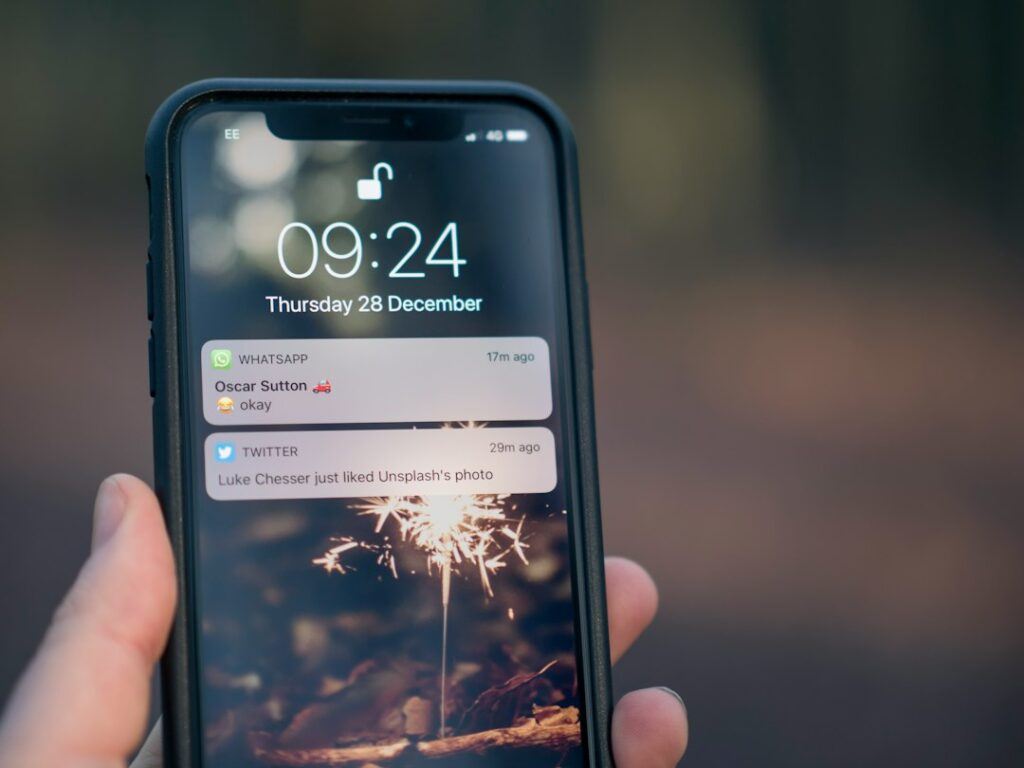
It is a small, timed notice, usually in a bottom corner of the screen, that pulls recent orders from WooCommerce and displays them one at a time. A typical notification shows a customer’s first name or location, the product name and image, and how long ago the order was placed.
Clicking the notification usually opens the product page, so it doubles as a gentle product recommendation. Good plugins let you control which orders appear, how names are shown, where the popup sits and how often it repeats.
It is different from an exit-intent popup or a newsletter overlay. A sales notification does not ask the visitor to do anything; it only gives information.
Why does social proof affect buying decisions?
Social proof works because shoppers who are unsure look at what other people have done. Seeing that others bought a product, and from this specific store, reduces the fear of being the only one who takes the risk.
The best-known evidence comes from product reviews rather than popups. Research by Northwestern University’s Spiegel Research Center, first published in 2017, found that a product with five reviews was 270% more likely to be purchased than one with no reviews. The effect was larger for higher-priced products (380%) than for lower-priced ones (190%), and a “verified buyer” badge improved purchase odds by 15%.
Sales notifications apply the same principle in a lighter form. They do not tell the visitor whether a product is good, but they do signal that the store is active, that real people order from it and that orders are being placed right now.
Where social proof matters most
- New or small brands that visitors have not heard of.
- Stores selling through social media, where visitors arrive from an ad and know nothing about the business.
- Markets with trust concerns, such as Bangladesh, where shoppers often worry about whether an online shop will deliver.
- Higher-value items, where the Spiegel findings suggest reassurance has a bigger effect.
Do sales notification popups really increase conversions?
They can, but the size of the effect depends on your store, and there is no reliable independent figure that applies to every shop. Treat any vendor claim of a fixed percentage uplift with caution and measure the result on your own traffic.
As a rule of thumb, popups help most when a store has enough genuine orders to show fresh activity and visitors arrive with low trust. They help least, or can backfire, when the same three orders from last month repeat endlessly, or when a premium brand’s design is cluttered by constant interruptions.
When to use them
- You receive orders every day, so notifications stay recent.
- A large share of traffic is new visitors from ads or social media.
- Your products have broad appeal, so seeing other purchases is relevant.
When to think twice
- You receive only a few orders a week, so notifications look stale.
- Your customers expect privacy, for example with personal or sensitive products.
- Your audience is mostly returning, loyal buyers who already trust you.
Are fake sales notifications legal?
No, not in the main markets that regulate this. Showing invented orders, made-up customer names or inflated activity can breach consumer protection law in the US and UK, and it damages trust when customers notice. Only ever display real orders.
In the US, the Federal Trade Commission announced its final rule banning fake reviews and testimonials on 14 August 2024. Beyond fake reviews, it covers buying or selling fake indicators of social media influence, and it lets the FTC seek civil penalties against knowing violators.
In the UK, the Competition and Markets Authority has highlighted “pressure selling” through messages such as “14 people have added this to their bag in the last 24 hours”, noting in a 2022 CMA blog post that such claims can be “misleading or even untrue”. Under the Digital Markets, Competition and Consumers Act, rules that apply from 6 April 2025 ban fake consumer reviews and false limited-time claims, as set out in the CMA’s unfair commercial practices guidance.
The safe rule for any store, wherever it sells: every notification must reflect a real order, with an accurate product and an accurate time. Avoid “fake order” generators, even as a temporary boost for a new shop.
Can sales popups hurt SEO or page speed?
Not if they are small, do not block content and load lightly. Problems arise when a notification covers the page on mobile, shifts the layout or adds heavy JavaScript.
Google’s guidance on avoiding intrusive interstitials warns against elements that obstruct users’ view of the content and recommends banners that take up only a small fraction of the screen instead. A compact corner notification fits that description; a large popup that hides the product on a phone does not.
Keep an eye on Core Web Vitals after you install any popup plugin. A notification positioned over the page should not move other elements, so it should not hurt Cumulative Layout Shift, but extra scripts can slow down how quickly the page responds. Our technical SEO checklist explains the thresholds, and our guide to speeding up WordPress covers how to keep scripts lean.
How do you add sales notifications to WooCommerce?
Install a sales notification plugin, choose which orders to show, set the timing and position, and test on mobile. With Beep Notifier the basic setup takes a few minutes and needs no code.
- Install the free Beep Notifier plugin from WordPress.org and activate it.
- Choose how customer names appear, for example first name only or hidden.
- Decide whether to show the product image and whether links open in a new tab.
- Set the position and size so the popup stays clear of your chat button and cart icon.
- Set the delay before the first notification, how long each one shows and the interval between them.
- Decide whether notifications loop, whether they appear on mobile and whether visitors can close them.
- Open your store on a phone and a desktop and browse as a customer would.
Beep Notifier Pro adds multiple themes and animations, filtering by order status (completed, processing or on-hold), a limit on how many orders are shown, custom link types and control over where on the site notifications appear. Other sales popup plugins and hosted social proof tools are available too; whichever you choose, check that it reads real WooCommerce orders and lets you control privacy and frequency.
What settings work best for sales notifications?
Start conservative: a short delay, a brief display time, a long interval and only recent, completed or processing orders. You can always show more; it is harder to win back a visitor you annoyed.
| Setting | Suggested starting point | Reason |
|---|---|---|
| Delay before first popup | 8–10 seconds | Lets the visitor see the page first |
| Display duration | About 5 seconds | Long enough to read, short enough not to distract |
| Interval | 20–30 seconds | Feels like activity, not a slideshow |
| Order status | Completed and processing | Avoids showing cancelled or failed orders |
| Customer name | First name or first name plus city | Real but respectful of privacy |
| Position | Bottom left on desktop, bottom on mobile | Stays away from most chat widgets and cart buttons |
| Close button | On | Gives visitors control |
These are starting points, not rules. Adjust them based on your order volume and what your test results show.
Respect customer privacy
Never show full names, email addresses or exact addresses. A first name, an initial or a city is enough to make the notification feel real. Mention in your privacy policy that recent purchases may be displayed anonymously, and leave out orders for products customers would not want associated with them.
What other social proof should a WooCommerce store use?
Sales notifications work best alongside stronger trust signals: product reviews, verified buyer badges, clear delivery and return policies, and familiar payment logos. Popups add a sense of activity; reviews and policies answer the real questions.
- Product reviews with photos – the strongest form of social proof, and eligible for review stars in search when marked up correctly, as covered in our WooCommerce SEO guide.
- Verified buyer labels – WooCommerce can mark reviews from customers who bought the product.
- Trusted payment options – showing bKash, Nagad, cards and COD reassures Bangladeshi buyers; see our guide to the best WooCommerce payment gateways in Bangladesh.
- Clear policies – delivery times, return rules and a reachable phone number near the “Add to cart” button.
How do you measure whether sales popups work?
Compare conversion rate with and without the notifications, using an A/B test if your traffic allows or a clean before-and-after comparison if it does not. Track clicks on the notifications as a separate event.
| Metric | What it tells you |
|---|---|
| E-commerce conversion rate | The main result: are more visitors buying? |
| Add-to-cart rate | Whether notifications build product interest |
| Notification click-through | Whether shoppers find the featured products relevant |
| Bounce rate and engagement time | Whether popups are distracting or annoying |
| INP and LCP in Search Console | Whether the plugin is slowing the site down |
Run the comparison for at least two full weeks so weekdays, weekends and paydays are included, and avoid running it at the same time as a big sale or new ad campaign.
Frequently asked questions
What is a sales notification popup in WooCommerce?
It is a small notice that shows real recent orders from your store, such as a customer’s first name, the product and how long ago they bought it. It acts as social proof, reassuring new visitors that other people buy from you. Plugins such as Beep Notifier pull these orders from WooCommerce automatically.
Do sales notifications slow down my website?
A well-built notification plugin adds only a small amount of code, but every script has a cost. Check your Core Web Vitals in PageSpeed Insights before and after installing, and remove any plugin that noticeably worsens responsiveness or load time.
Is it legal to show fake purchase notifications?
Fake or exaggerated notifications can breach consumer protection law. The US FTC’s 2024 rule targets fake reviews and fake social influence indicators, and UK rules in force from April 2025 ban fake reviews and misleading urgency claims. Only display real orders with accurate details.
Should I show customer names in sales popups?
Show a first name, an initial or a city, never a full name or contact details. This keeps the notification believable while protecting customer privacy. Mention the practice in your privacy policy and exclude sensitive products.
Is Beep Notifier free?
Yes, Beep Notifier is available free on WordPress.org with real-time notifications, timing, position, size and mobile controls. Beep Notifier Pro adds themes, animations, order-status filtering, order limits and site-wide visibility controls. Contact Softwix for Pro details.
Add real social proof to your store
If your WooCommerce store has steady orders but new visitors still hesitate, live sales notifications are a low-effort way to show them that others buy from you. Explore Beep Notifier and our other WooCommerce plugins on the Softwix products page, or ask our team about a full store review covering trust, speed and checkout.

Part of the Softwix team — helping businesses grow through SEO, marketing and better websites.